Watch video while gaming
Keep a supported video, live stream or guide visible in a separate floating window while the game remains available underneath.

uView Player for Windows
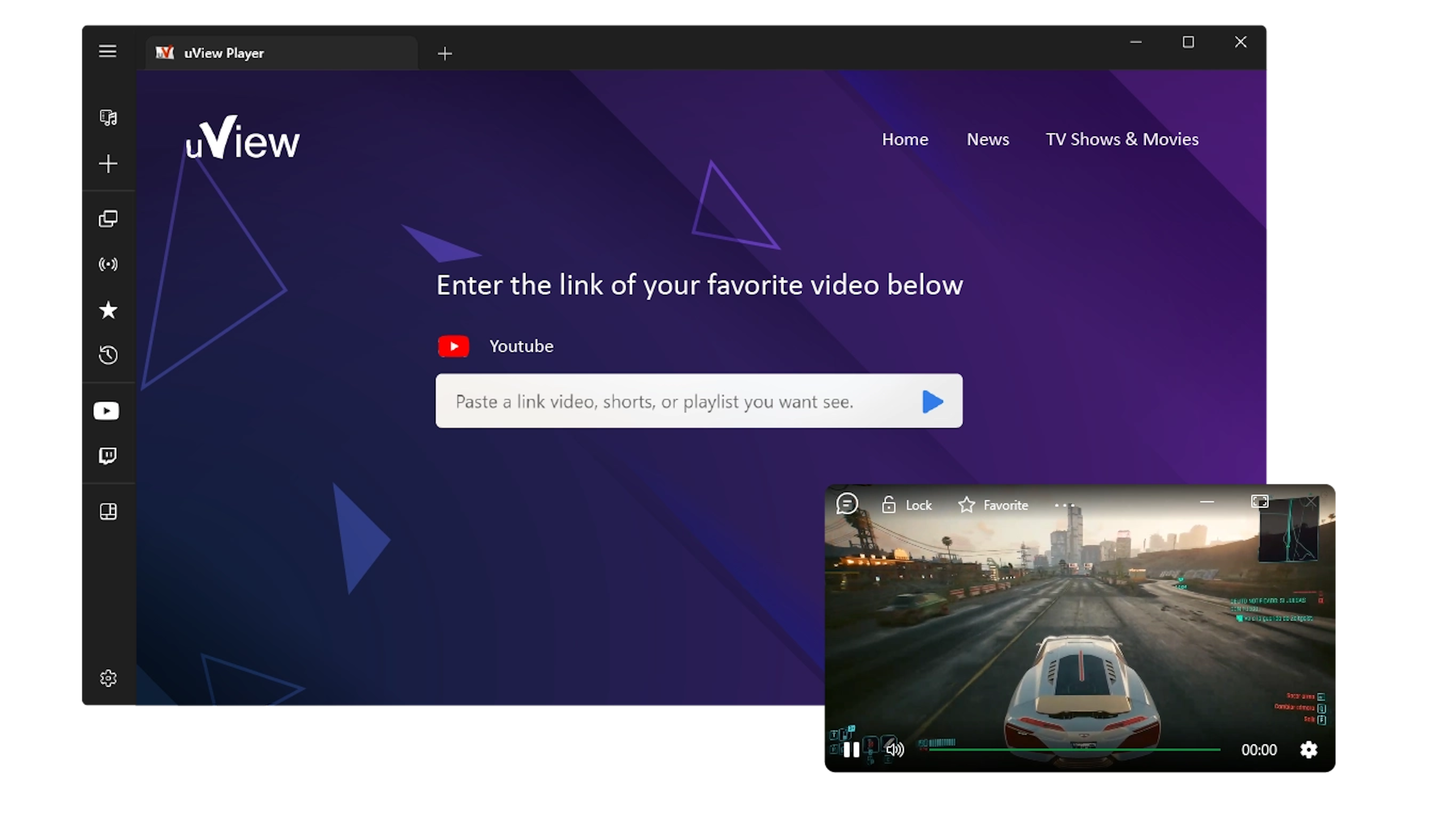
Keep supported videos visible in a resizable always-on-top window while you play games, work, study or browse. Use the rest of your screen without losing sight of playback.
Looking for the complete product overview? Explore all uView Player features.
Use the screen you already have
A floating player is useful when the video supports another task instead of becoming the task itself. These are the workflows this page is designed to answer directly.
Keep a supported video, live stream or guide visible in a separate floating window while the game remains available underneath.
Follow a coding tutorial, training video or visual reference without repeatedly switching between your browser and the app where you are working.
Place a lecture or lesson beside your notes so the video stays available while you read, write and organize material on the same screen.
Move the player to a corner, resize it for the available space and continue browsing while playback remains visible above other windows.
Always-on-top video window
uView Player gives supported media its own window. Move it to the part of the screen that is not being used, resize it for the current task and keep working in the application underneath.
When the video is only a reference, reduce the window transparency so you can monitor playback while preserving more visibility for your game, editor, document or browser.
Floating window controls
The floating player can remain above another application so the video does not disappear every time focus changes.
Place the player where it interferes least with the task underneath and resize it when you need more or less screen space.
Reduce the opacity when you only need to monitor playback or keep a visual reference available without covering important content.
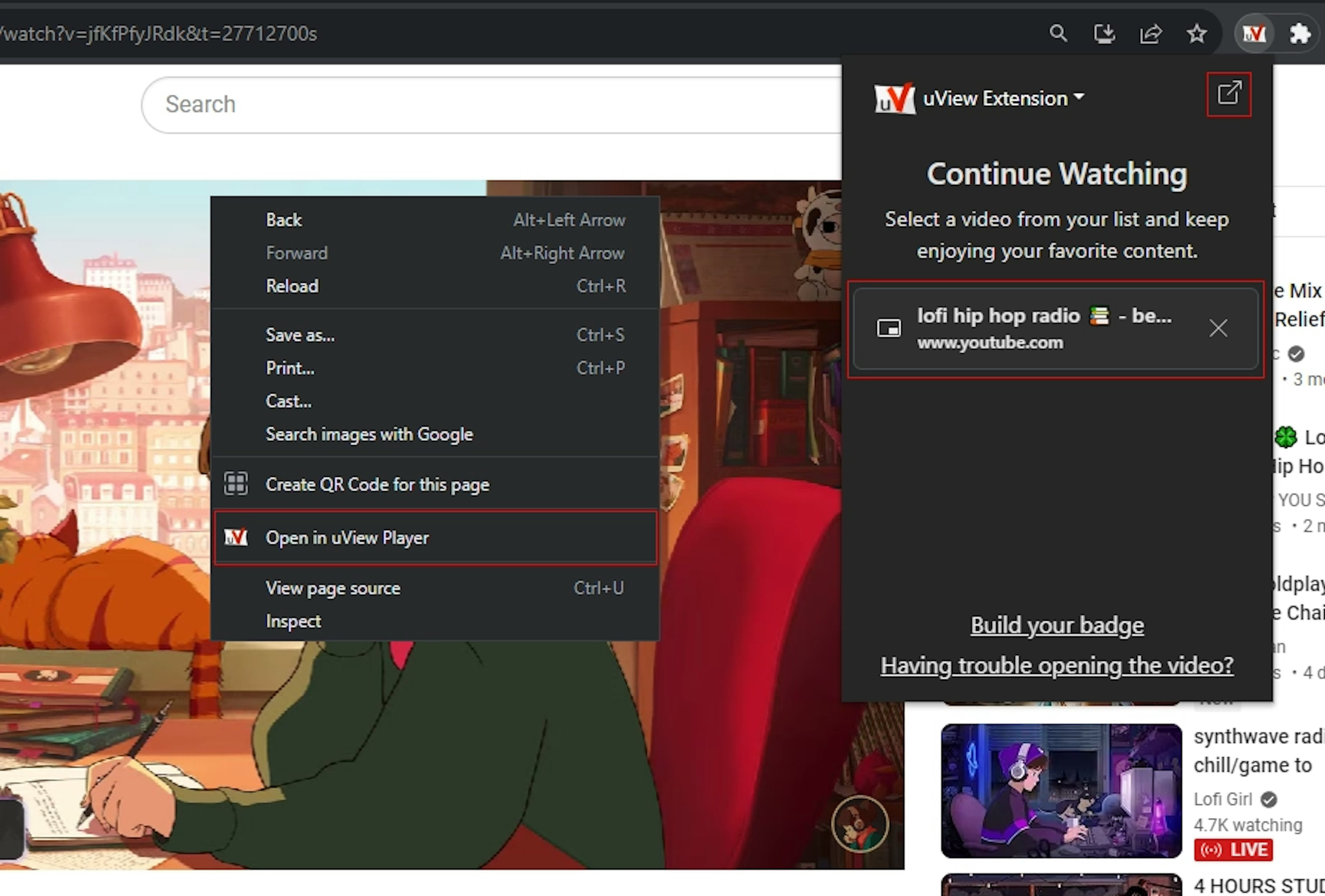
For compatible websites, the optional browser extension can hand detected media to uView Player after playback has started in the browser.
Supported sources
Some sources open directly. Other supported websites work better with the optional browser companion after playback has started.
Video sources
Some sources open directly. For supported websites, the browser extension can pass the page you are already watching to uView Player.


Service names, trademarks and logos are shown only to identify compatible sources. Their owners are not affiliated with, sponsoring, or endorsing uView Player or iDruf. All marks remain the property of their respective owners.
Browser extension
Some websites only expose a useful media address after playback starts. The extension checks the active tab and adds an “Open in uView Player” action when it can identify compatible media.
This is especially useful for HLS, MP4 and supported streaming pages where pasting the page URL into the desktop app is not enough. Website players can change, so detection may vary after a service updates its own playback code.




Questions
It is a separate video window that can remain visible above other applications. uView Player is designed for this workflow so you can keep supported video in view while gaming, working, studying or browsing.
Yes. The player is designed to stay visible above other windows, and you can move or resize it to fit the activity underneath.
Yes. Transparency can be adjusted when you want the video to remain visible without covering as much of the application below it.
No single player can guarantee every website. uView Player supports common video sources and stream formats, while compatibility with a specific site can change when that service changes its player, login flow or playback restrictions.
Not for every source. The extension is an optional companion for compatible websites where useful media is exposed only after playback starts in the browser.
The current uView Player release is distributed through Microsoft Store. Use the download button on this page to open the maintained installation flow.
Windows 10 and Windows 11
Install the current uView Player release from Microsoft Store and use the floating window when a video needs to stay in sight without taking over your workflow.