Advertisement

Official Windows download
Install Simple Visual Canvas
Simple Visual Canvas is installed from Microsoft Store. The product keeps its existing website address, while installation and updates continue through the supported Windows Store distribution.
Thank you for your interest in our apps!
We're happy you're here. We hope our apps make your everyday tasks easier.
We'll keep working to add useful features and make our apps better. Thank you for your interest and support!
Install flow
Three short steps
There is no countdown and no background download. You choose when to leave iDruf and open the Store.
- 1
Open the listing
Use the primary button to open the official Microsoft Store page for Simple Visual Canvas.
- 2
Choose Install
Confirm the installation in Microsoft Store using the normal Windows flow.
- 3
Update through Store
Future releases can be delivered through the same Store installation channel.
Advertisement
Another iDruf Windows app
Keep a reference video visible while you work on the canvas
uView Player can keep a supported tutorial, lecture or reference video above other windows while Simple Visual Canvas remains available underneath.
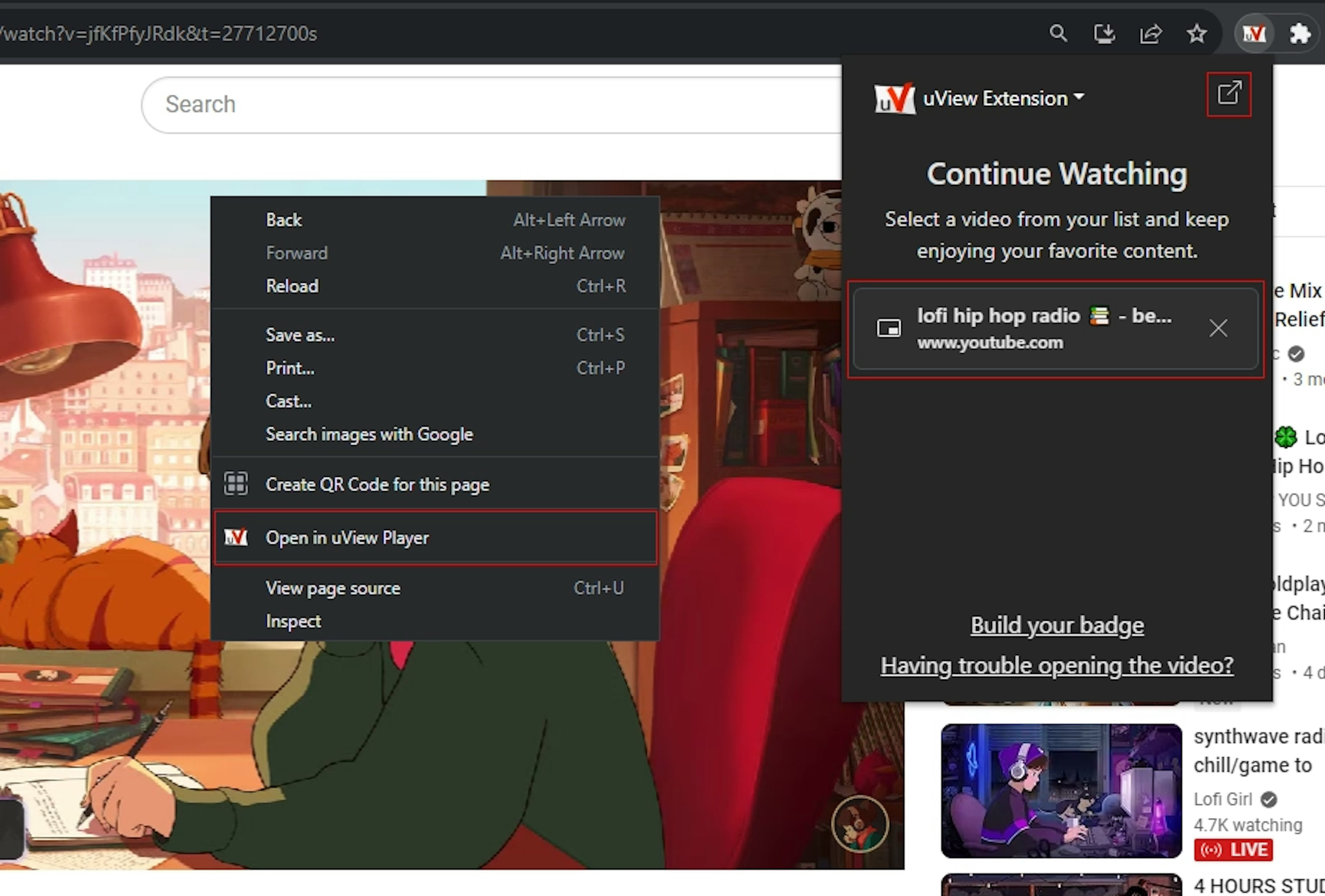
Browser extension
Send a playing video to uView Player without copying a stream address
Some websites only expose a useful media address after playback starts. The extension checks the active tab and adds an “Open in uView Player” action when it can identify compatible media.
This is especially useful for HLS, MP4 and supported streaming pages where pasting the page URL into the desktop app is not enough. Website players can change, so detection may vary after a service updates its own playback code.